1
/
of
1
MDNR Energy
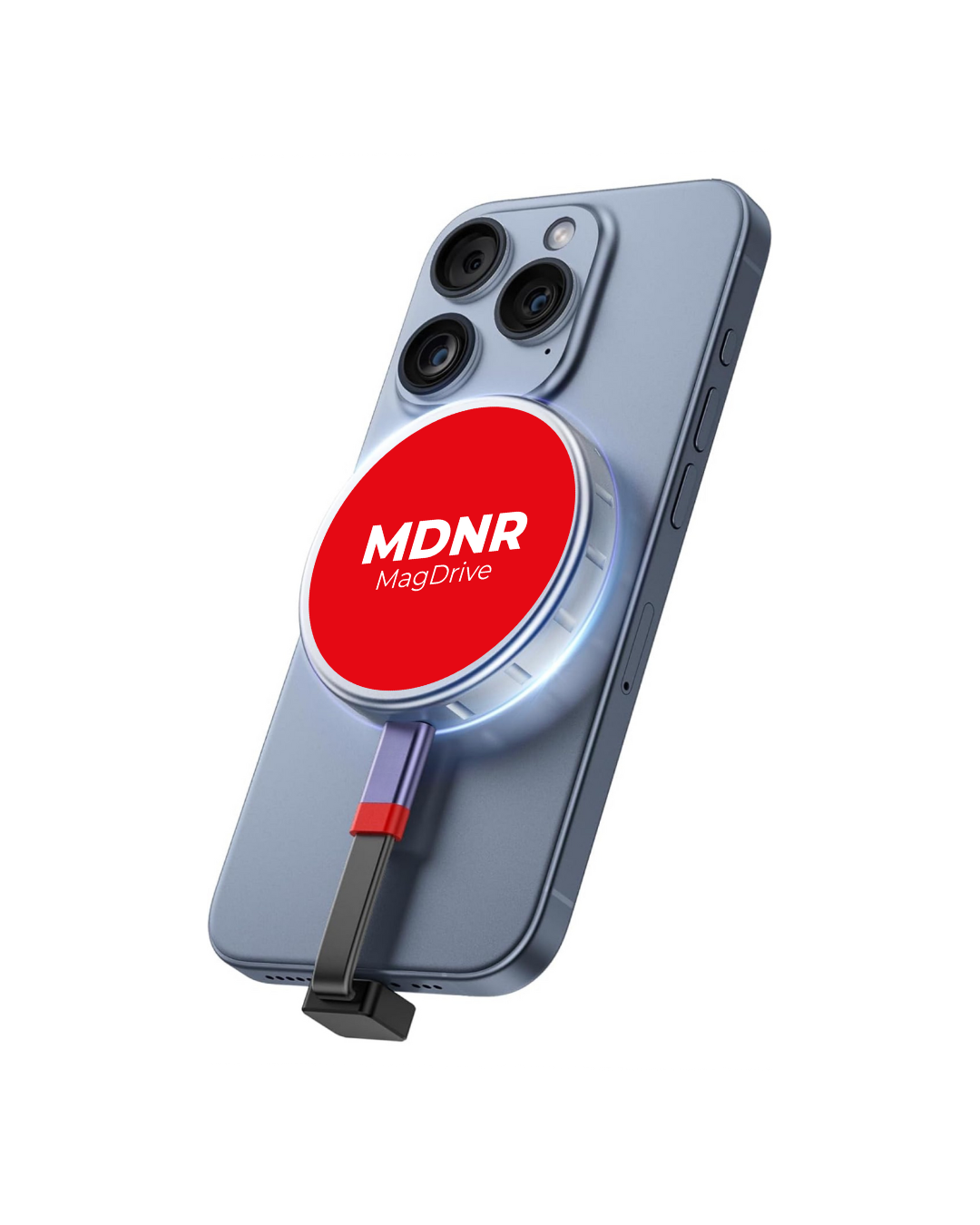
MDNR MagDrive P310 SSD 2 TB with 2230 M.2 NVMe SSD Enclosure, 10Gbps USB 3.2 Gen2, Aluminum Case with MagSafe, ProRes 4K External Storage for iPhone 15/16/17 Pro
MDNR MagDrive P310 SSD 2 TB with 2230 M.2 NVMe SSD Enclosure, 10Gbps USB 3.2 Gen2, Aluminum Case with MagSafe, ProRes 4K External Storage for iPhone 15/16/17 Pro
Regular price
$350.00 USD
Regular price
Sale price
$350.00 USD
Unit price
/
per
Couldn't load pickup availability
- Perfect MagSafe Compatibility – Expand Your iPhone Storage up to 2TB The MDNR MagDrive features a precision-engineered magnetic ring that snaps securely to your iPhone, delivering seamless MagSafe attachment. Instantly add up to 2TB of ultra-fast external storage for photos, videos, apps, and more – all in a pocket-friendly design.
- Record 4K ProRes Video Directly to External Storage Fully compatible with iPhone 15 Pro/Pro Max, iPhone 16 Pro/Pro Max, and iPhone 17 Pro series. Shoot stunning 4K ProRes (including LOG and 120fps) straight to the drive – no more “Storage Full” interruptions, even during extended professional shoots.
- Blazing-Fast 10Gbps Performance Powered by USB 3.2 Gen 2 technology, the MDNR MagDrive delivers real-world transfer speeds up to 1000 MB/s. Supports NVMe M-Key and B+M-Key 2230 SSDs (up to 2TB) and works flawlessly across Windows, macOS, Linux, Android, and iOS devices.
- Premium All-Aluminum Construction for Excellent Heat Management The compact 2230 NVMe format generates significant heat under load. Our full aluminum alloy body, combined with high-quality thermal pads, ensures superior heat dissipation – keeping the drive cool and reliable even during intensive 4K recording sessions.
- Works with Phone Cases – Includes Universal Magnetic Ring Each MDNR MagDrive comes with a thin metal adhesive ring, allowing strong, stable MagSafe attachment even through most protective cases. Enjoy effortless one-handed connection and instant access to your expanded storage.
- Quick Setup Tip For best cross-platform performance, format your SSD to exFAT using Disk Utility (macOS) or Disk Management (Windows) before first use. NTFS requires additional software on macOS.
Experience unlimited creative freedom – the MDNR MagDrive is built by creators, for creators.
Share